Family Manager: An AI Family Assistant That Asks First
Family logistics is a stream of small decisions someone has to hold in their head. Family Manager drafts them and waits for your approval. Here is the design argument for approve-first, and what it takes to actually mean it.
Claude (Opus 4.8, 1M) via Claude Code, Drafting
Governed by curate-me.ai
Family Manager is an iOS app that reads the stream of family logistics and turns it into calendar entries you approve. You forward the school email, snap the flyer, or say "Mia has soccer Thursday at six," and it drafts the event. You tap approve, and only then does it land on your calendar.
This post is about the one design decision underneath all of that: the app drafts, and a person decides. It sounds modest. It is the whole product, and it is harder to actually honor than it looks.
The problem: a stream of small decisions
Family life runs on a constant trickle of logistics. A school email about picture day. A coach texting a new practice time. A flyer with three dates buried in it. Swim lessons move; someone needs picking up at four instead of five. None of it is hard on its own. In most households one person ends up holding the entire stream in their head, and the cost of that is invisible until something slips.
The obvious thing to build is an assistant that just handles it. Read the email, make the calendar event, done. That is also the thing I refuse to ship. An assistant that silently does the wrong thing to your family's calendar is worse than no assistant, because the failure is not visible until you show up on the wrong day.
The design rule: propose, approve, route
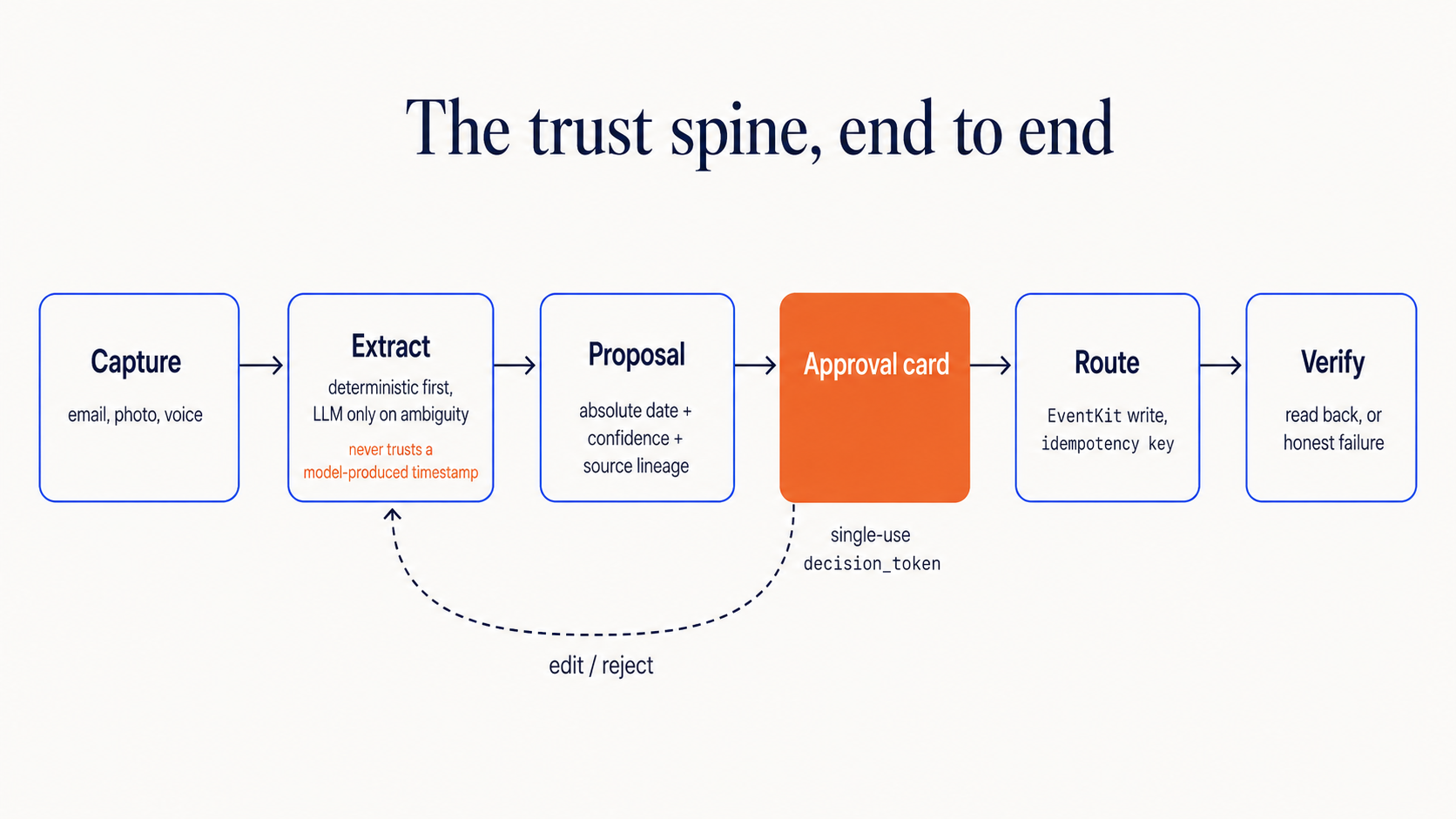
So the app is built around a loop with a human checkpoint in the middle:
- Capture: you hand it the raw thing, in whatever shape it arrived.
- Propose: it drafts a structured event: title, the resolved date and time, who it is for, where it came from.
- Approve: you approve, edit, reject, or defer.
- Route: only on approval does it write to your calendar, on the device.
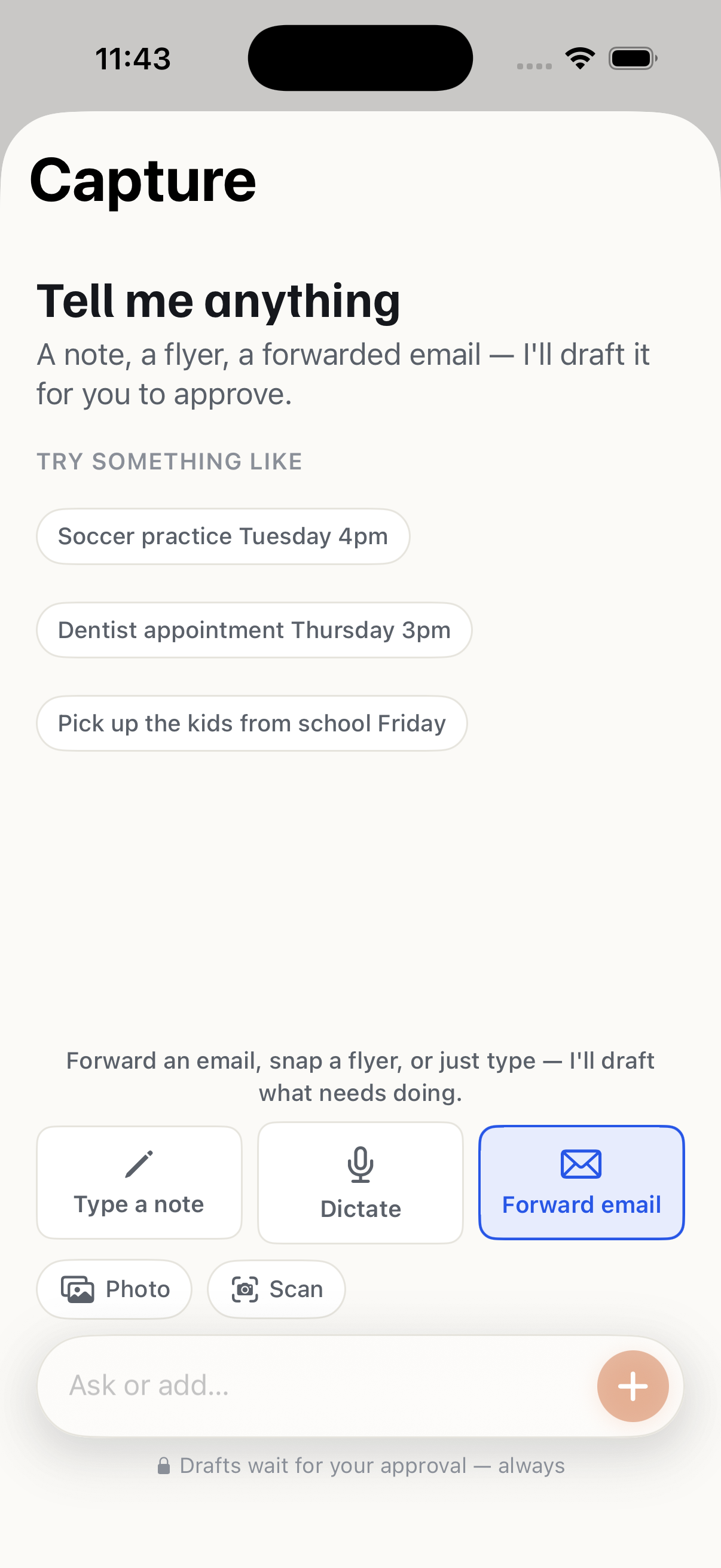
The capture step is deliberately shapeless. There is no syntax to learn:
What comes back is the opposite of shapeless. Every proposal is a structured card, and that structure is exactly what you are approving:
{
  "headline": "Soccer practice",
  "proposed_action": {
    "type": "calendar_event",
    "start_local": "2026-07-02T16:00:00",
    "end_local":   "2026-07-02T17:00:00",
    "member": "Mia",
    "location": "Lincoln field"
  },
  "confidence": { "band": "high" },
  "source": { "kind": "email", "snippet": "Fwd: practice moved..." }
}
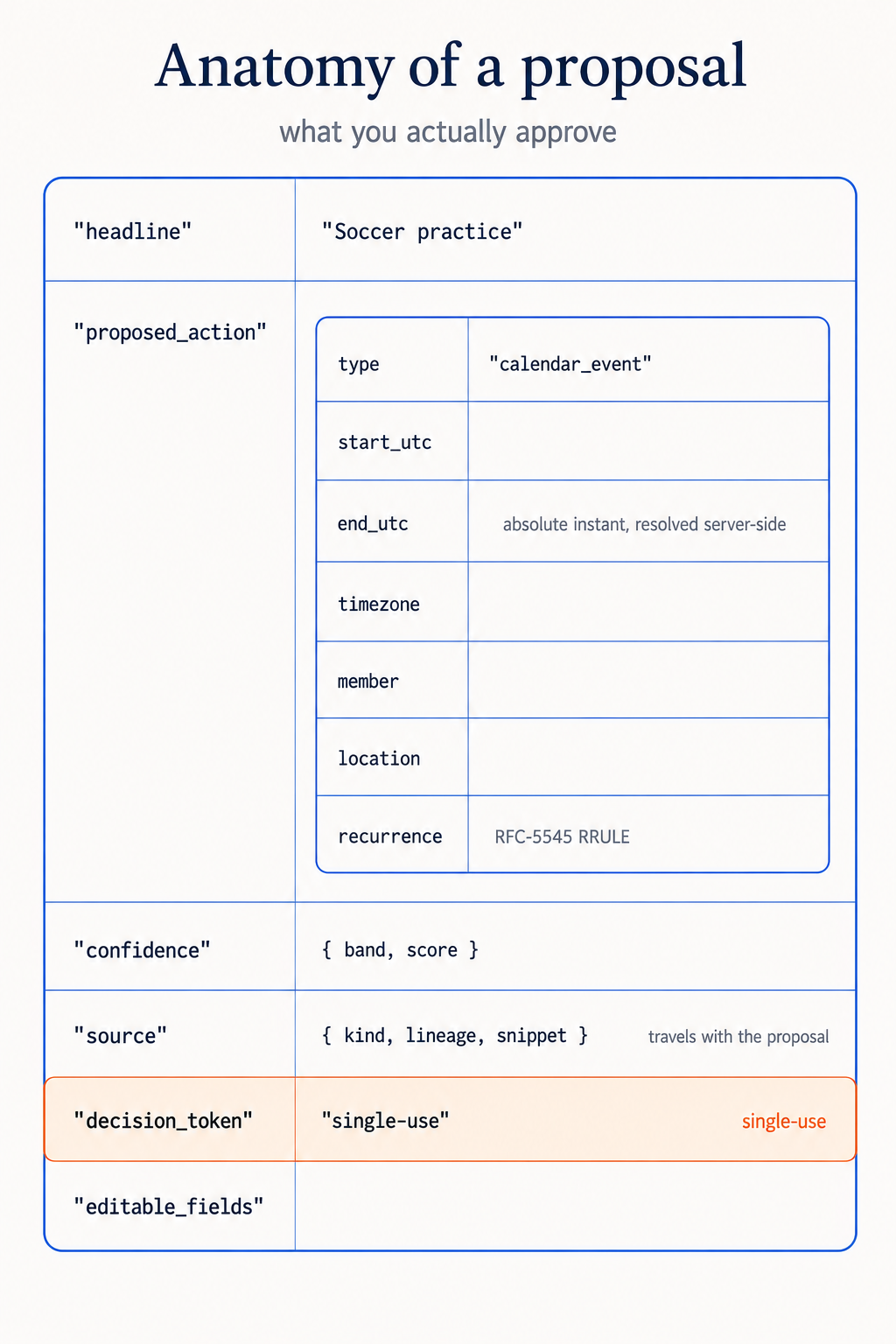
What to notice: the date is resolved to an absolute local time before you ever see it, the source it was extracted from travels with it, and a confidence band is attached. You are approving a specific, legible claim rather than a black box.
Why "ask first" is the entire point
Approve-first is the product's center of gravity rather than a safety toggle bolted onto an autonomous agent, and it changes three things:
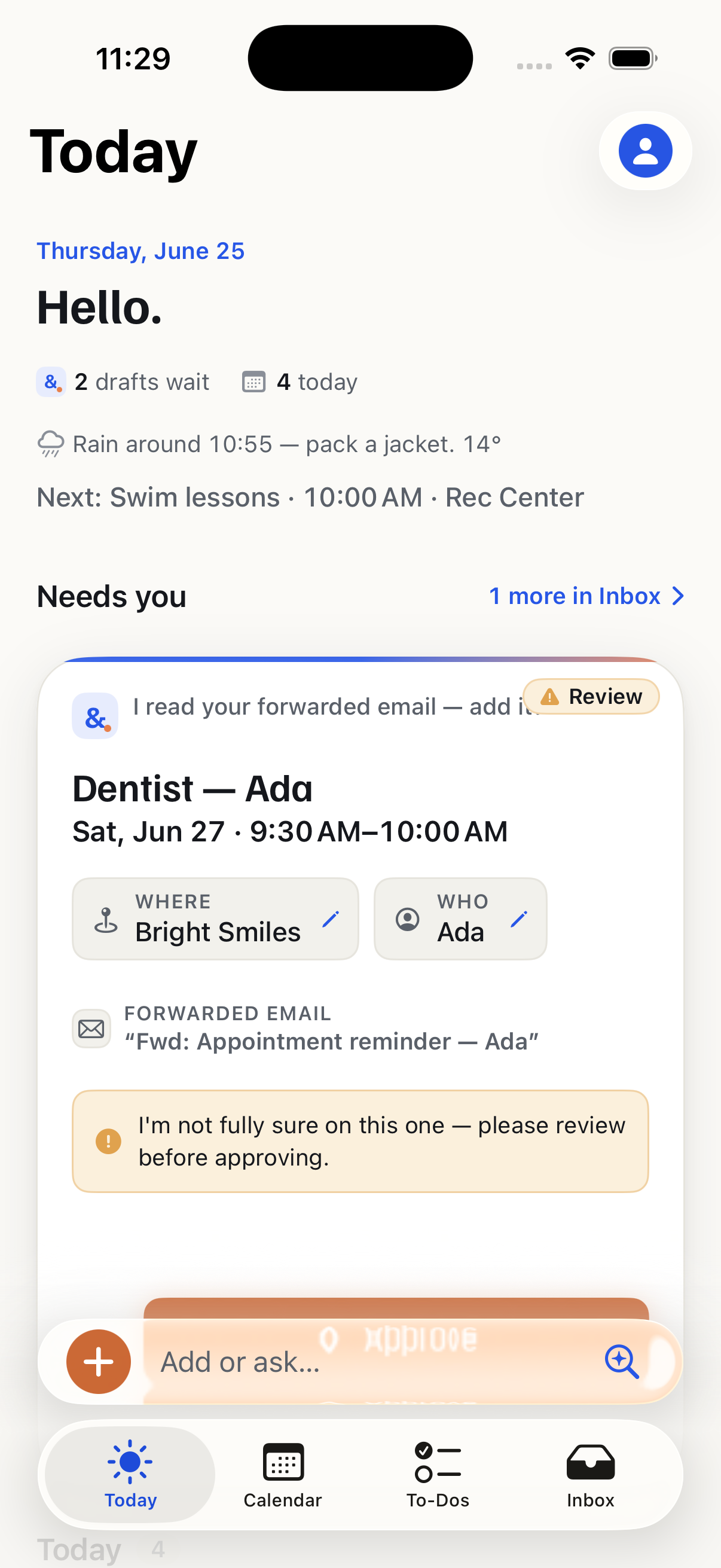
- It never guesses with confidence. When the extractor is unsure, the card says so, rather than quietly picking an interpretation. A low-confidence proposal asks for a glance; it does not pretend.
- It keeps the human as the decision-maker, not the cleanup crew. The app does the tedious reading and typing. You keep your hand on every action that touches your family's day.
- It makes trust accumulate instead of erode. Every approval is a small, correct transaction. Trust is earned in those, and it is the thing the whole product is actually selling.
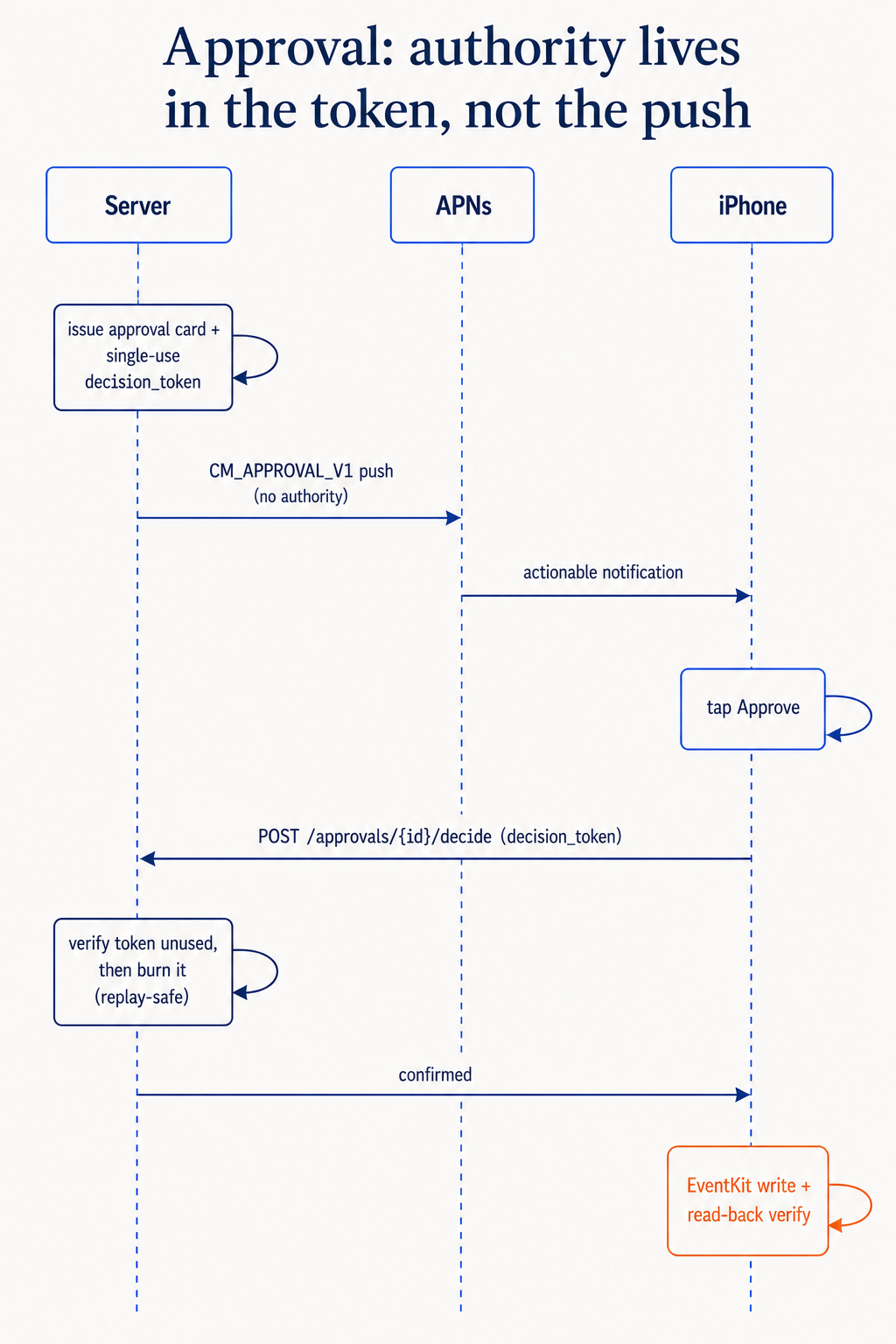
That one decision changes how it feels to hand software your life. It never tells you a thing is handled unless it watched it get handled.
It shows its work
Approving is only half of trust. The other half is what happens after. When you approve an event, the app writes it to your real calendar and then re-reads it to confirm it actually landed before it reports success. Everything it has handled lives in a plain feed you can audit, with one-tap undo. On the rare occasion a write does not confirm, it says so in plain language instead of showing a false checkmark.
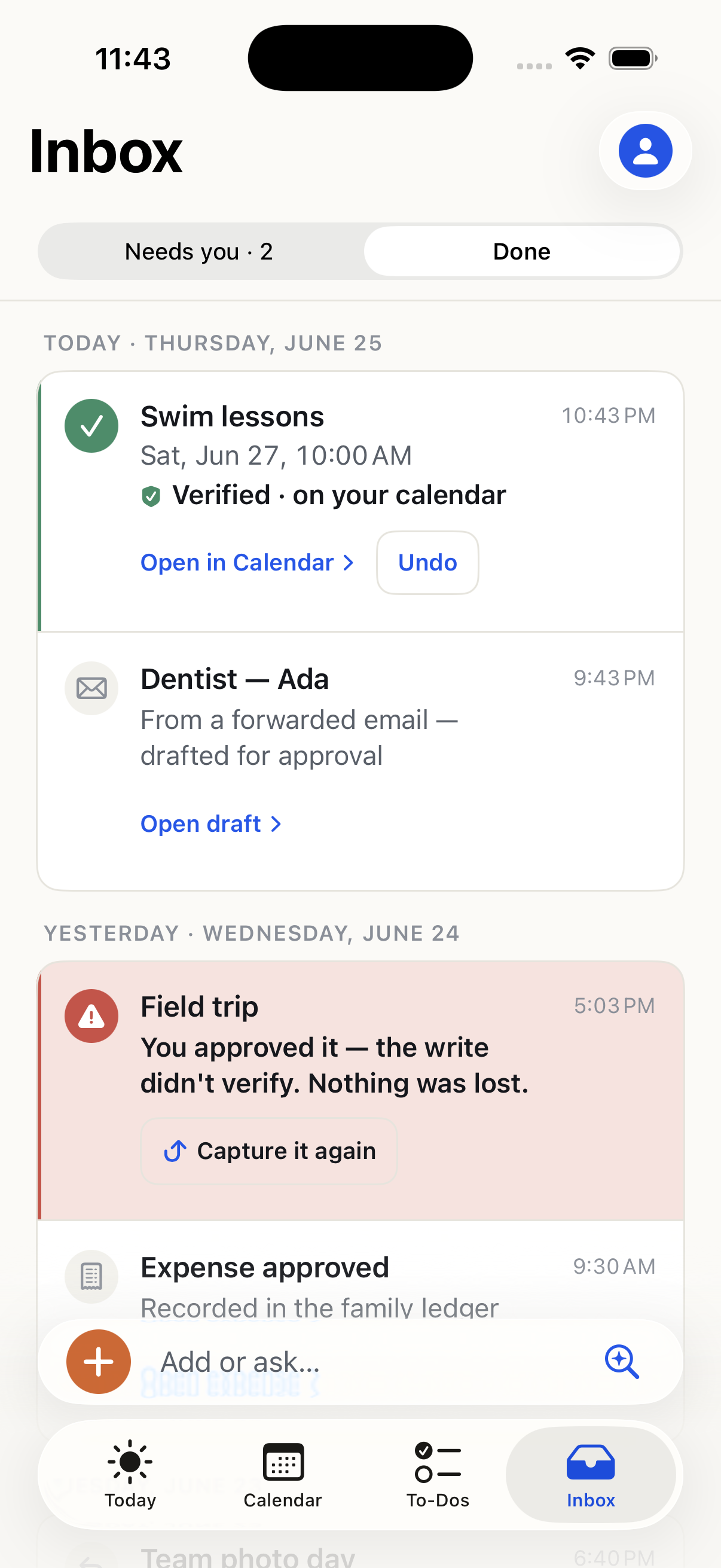
That honest-failure receipt is, oddly, one of my favorite parts of the app. It is the only reason I stopped double-checking the calendar after every approval.
Private because of how it is built
The intelligence behind the app does not run in some app-specific server. Family Manager is a customer of curate-me.ai, the same governed AI platform this blog runs on. Practically, that means the AI reading your forwarded email inherits the controls a business pays for:
- Personal details are minimized before anything reaches a model.
- Every action is logged where you can see it.
- There is a hard ceiling on what the assistant can spend.
No ads, no selling, no reading the rest of your mailbox. Your family's information is handled the way a careful company guards its most sensitive data, because under the hood, that is the system it is running on. There is a longer, developer-facing write-up of exactly how that backend works, but the short version is that the app is a thin, trustworthy client on a platform that already solved the hard parts.
Building a product on your own platform
There is a useful loop in this. We build a platform so any org can put a governed AI agent to work. Then I used that exact platform, as a normal customer with no special access, to build something for my own family. The app is the most honest test the platform has. Every promise we make to a business, that the AI stays in its lane, that nothing leaks, that you approve before it acts, I now rely on every morning while getting kids out the door. A claim you depend on personally is a claim you stop hand-waving about.
Takeaways
- For a trust product, the checkpoint is the feature. Approve-first is not a brake on autonomy; it is the thing being sold.
- Show the claim, not a black box. Resolve the date, attach the source and a confidence band, and let the human approve something legible.
- Make "done" mean verified. Re-read the write, and report honest failure instead of a false success.
- Inherit governance instead of reinventing it. Running on a governed platform is what lets a consumer app credibly promise privacy.
Family Manager is in beta on TestFlight. The build details and the backend each have their own post, for the developers who want them.
Comments
Loading comments...